Free Private Portfolio Tracker for Windows

Track stocks, crypto & dividends — 100% offline, no account needed. Import from Fidelity, Schwab, Robinhood. Export tax-ready reports.

Download for Windows — Free
No Registration
100% Offline
Signed Installer
Open Source

Virus-Free Guaranteed

Digitally signed & scanned

Your Data is Private

100% offline, no cloud

50,000+ Users

Trusted in USA & Canada

Open Source

Transparent & secure

0 Active Users
0 Countries
0 Brokers Supported
0 Assets Tracked

Software Interface

See the powerful features of WealthTrack in action
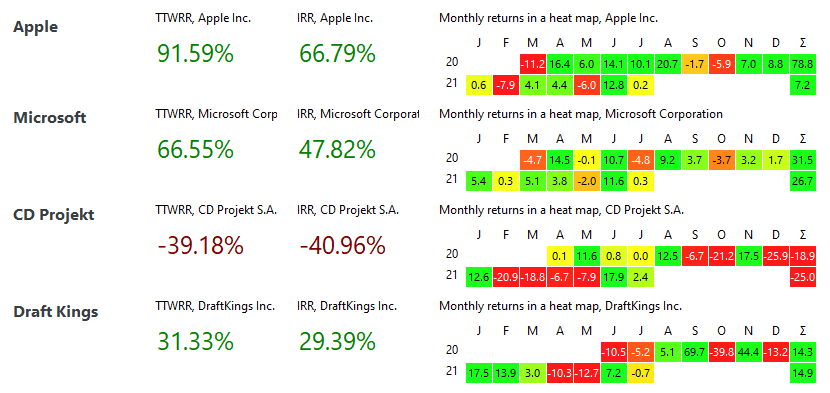
Dashboard View

Dashboard

Complete portfolio overview

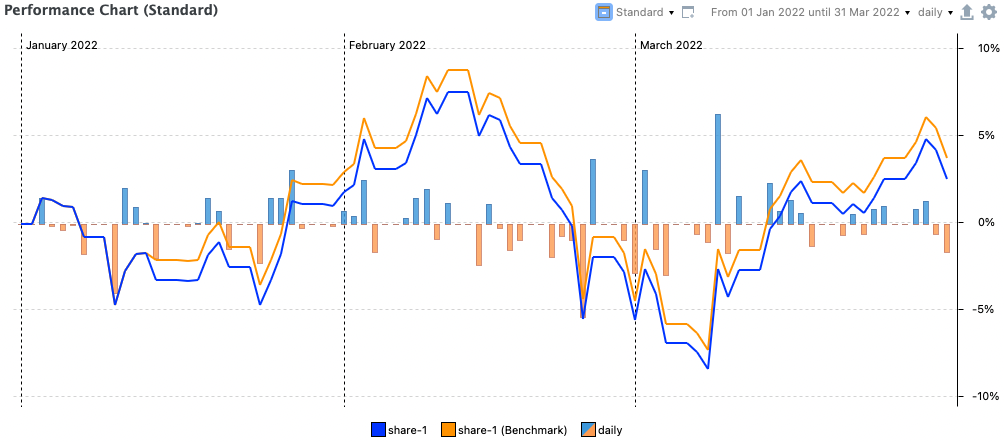
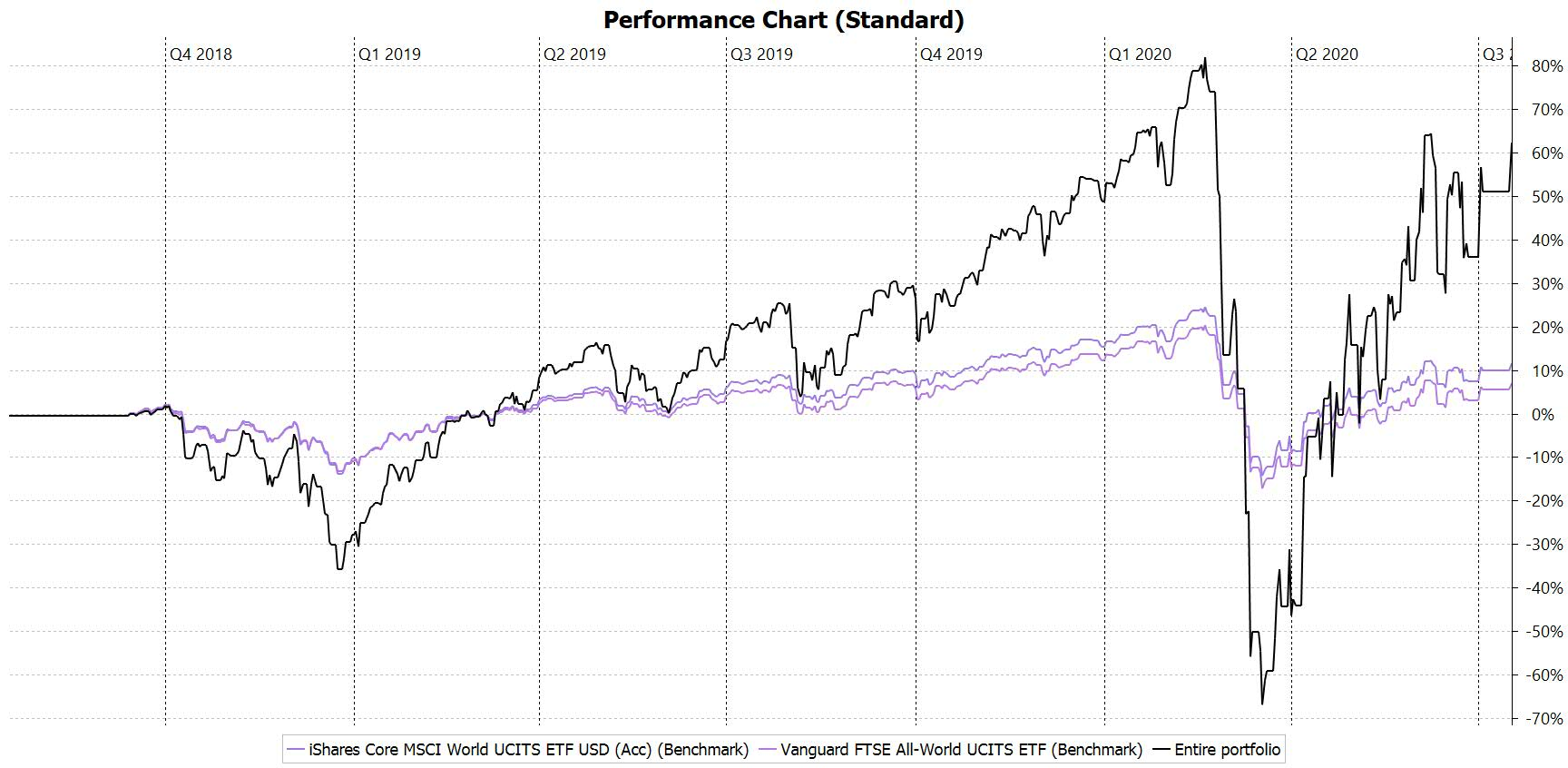
Performance Charts

Performance

Detailed analytics & charts

Reports

Reports

Tax-ready export

What Our Users Say

Join thousands of satisfied investors in USA & Canada

JD

John Davidson

"Finally, a portfolio tracker that respects my privacy! No cloud, no registration, just pure functionality. The tax reports saved me hours during tax season."

SM

Sarah Mitchell

"I've tried every portfolio tracker out there. WealthTrack is the only one that's truly free and has all the features I need. The crypto tracking is excellent!"

RK

Robert Kim

"As a financial advisor, I recommend WealthTrack to all my clients. It's professional-grade software that's completely free. The PDF import feature is a game-changer."

Everything You Need to Track Your Wealth

Professional-grade portfolio tracking without the subscription fees or privacy concerns.

100% Offline & Private

Your data stays on your PC. No cloud sync, no tracking, no ads. Complete privacy with bank-level encryption.

Auto-Import from Brokers

Import transactions from Fidelity, Schwab, Robinhood, E*TRADE via PDF. Supports 50+ US brokers.

Professional Metrics

TTWROR, IRR, Sharpe ratio, volatility. The same analytics used by professional fund managers.

Tax-Ready Reports

Export capital gains, dividends, and transactions for IRS Schedule D. Compatible with TurboTax.

Crypto + Stocks

Track all assets in one place: stocks, ETFs, crypto, bonds, mutual funds, and cash accounts.

Rebalancing Assistant

Set target allocation and get actionable insights. Keep your portfolio aligned with your strategy.

Get Started in 3 Simple Steps

No account required. No credit card. Just download and start tracking.

1

Download & Install

Get the signed installer (110 MB). Runs on Windows 10/11. Takes less than 2 minutes.

2

Import Your Data

Upload PDF statements from your broker or enter transactions manually. Auto-detects symbols.

3

Track & Optimize

View performance charts, asset allocation, and tax reports. Make data-driven decisions.

See WealthTrack in Action

Watch our comprehensive tutorial to master the software

Complete 18-minute tutorial — watch offline anytime

Ready to Take Control of Your Investments?

Join thousands of investors who track their wealth privately and professionally.

Windows 10/11 (64-bit)
~110 MB Download
Free Forever
No Registration
Windows 10/11 (64-bit) 4 GB RAM 500 MB free space .NET 8.0 (included)

After Download:

  1. Run WealthTrack-Setup.exe
  2. Confirm Windows SmartScreen prompt (this is normal ✅)
  3. Installation completes in ~1 minute
  4. Launch and import your portfolio data
Download WealthTrack Free

Digitally signed installer • Virus-free guaranteed

Get Update Notifications

Be the first to know about new features and releases.

Frequently Asked Questions

Everything you need to know about WealthTrack.

Is WealthTrack really free?
Yes, 100% free. WealthTrack is a curated distribution of Portfolio Performance, an open-source project. No hidden fees, no premium tiers, no credit card required.
Is my financial data safe?
Absolutely. All data is stored locally in an encrypted XML file on your PC. We don't collect, transmit, or access your portfolio information. No cloud sync means no data breaches.
Does it work with my broker?
Supports PDF import from Fidelity, Schwab, Robinhood, E*TRADE, Interactive Brokers, Vanguard, and 50+ other US brokers. Manual CSV import available for any broker.
Can I use it for crypto?
Yes! Track Bitcoin, Ethereum, and 1000+ cryptocurrencies alongside your stocks. Auto-updates prices via CoinGecko. Supports staking rewards and airdrops.
How do I export data for taxes?
Go to Reports → Export → CSV/Excel. You'll get a complete transaction history with dates, prices, commissions, and capital gains. Perfect for IRS Schedule D or TurboTax.
Can I use it on Mac or Linux?
This installer is for Windows. Visit portfolio-performance.info for macOS and Linux versions. The software works identically across all platforms.
Download Free